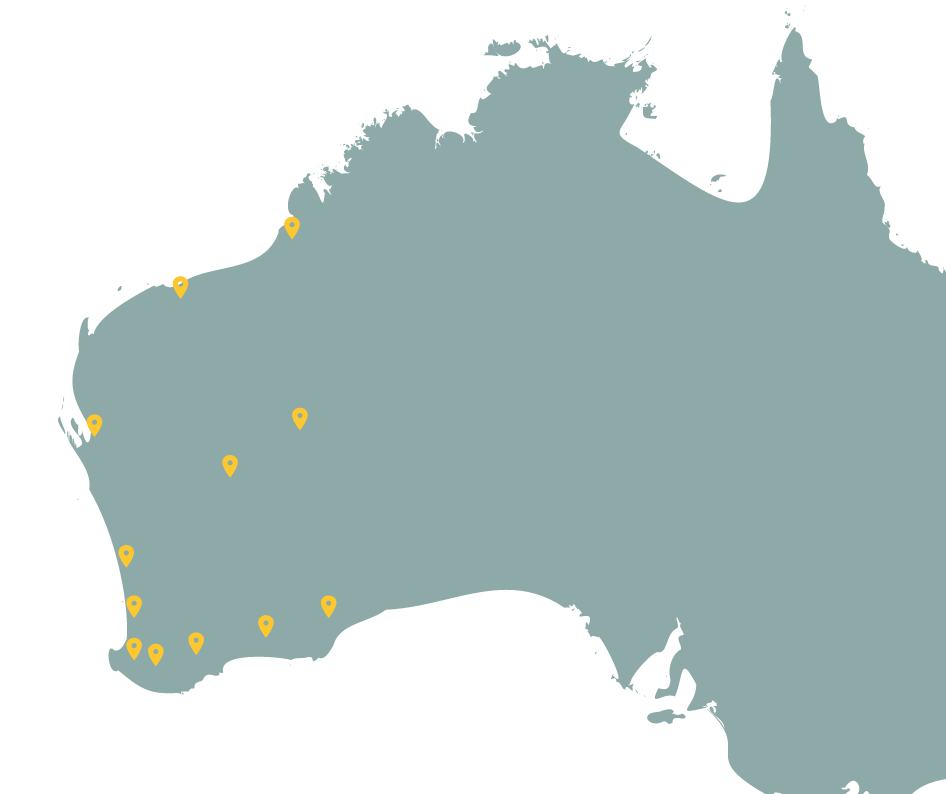
Feature Update – Systematic Survey Data
We have added functionality to be able to search, view and download (where available) Systematic Survey Data in the Dandjoo platform.
What is ’Systematic Survey Data‘ in Dandjoo?
Previously, all data in Dandjoo consisted of species occurrence records i.e. evidence of an organism at a specific location and time. These records are typically grouped into a survey or dataset.
Systematic Survey Data (SSD) in Dandjoo adds spatial, temporal and event details to a survey or dataset. Allowing surveys that are conducted systematically over multiple years or over a defined area to be collected and presented as part of a larger project.
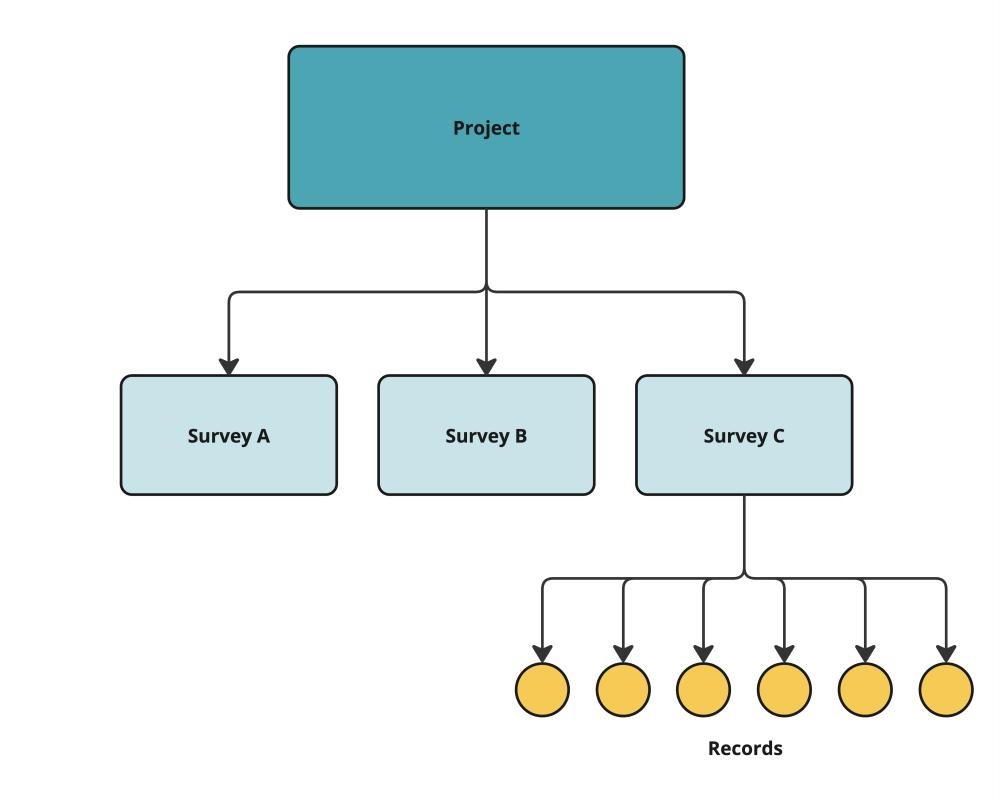
In Dandjoo, the structure of SSD is hierarchical - one project can have one or more surveys, and each survey can have one or more records linked to it.
Definitions
- Record: an observation or collection of an organism at a point in time at a specific location. Example: Chromodoris striatella collected on the 2/5/2016 at Cocoa Beach, Montebello Islands (-20.40, 115.57)
- Survey: an aggregation of records collected in the same general location over a period of time or event. Example: Montebello-Murions invertebrate survey
- Project: the common purpose connecting all surveys. Example: The Net Conservation Benefits (NCB) scheme Gorgon Project.
What has changed?
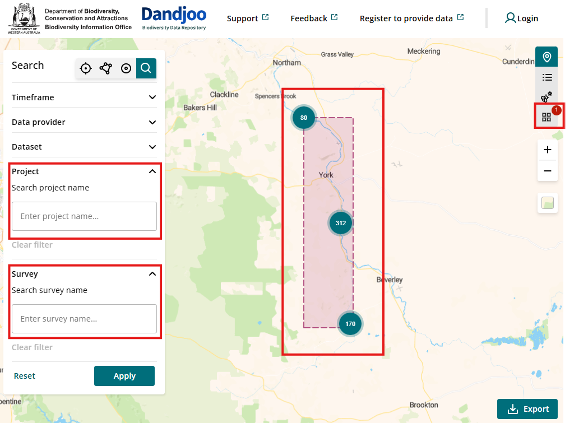
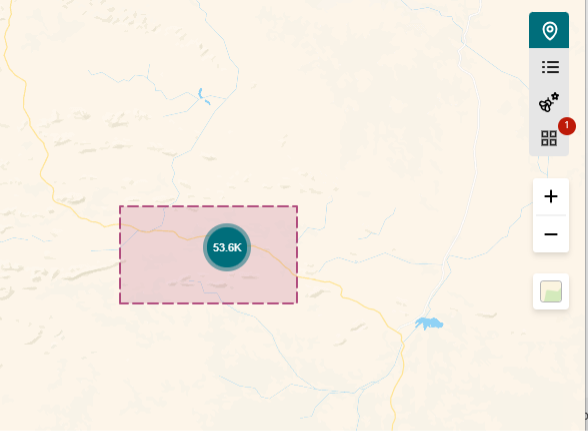
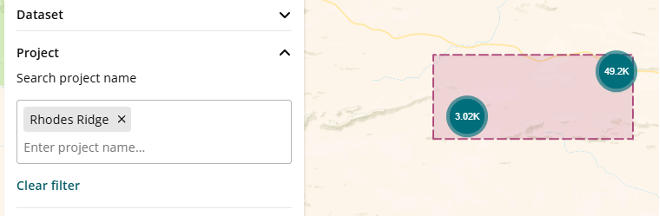
- New Project and Survey search fields – to give the option to search for SSD data specifically. The boundaries of the Project or Survey area is also shown.
- New Survey View icon button - to display SSD specific data (if any) within your search criteria.
Viewing Systematic Survey Data summary from your search
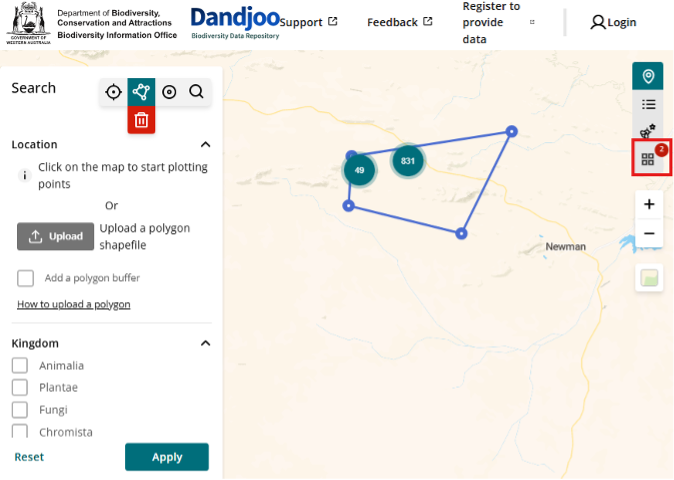
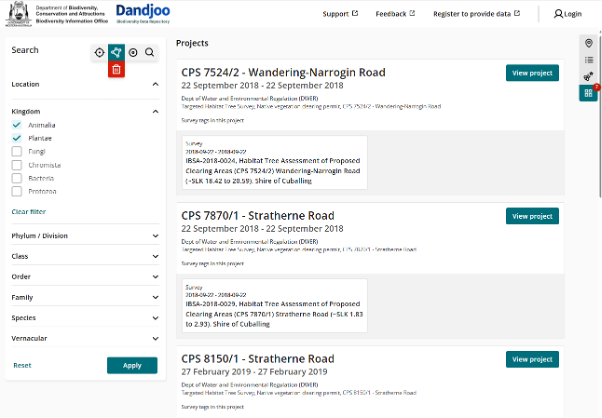
The Survey View icon button, located on the right-hand side of Dandjoo, allows you to see and access further SSD information.
A red badge will appear in the ‘Survey view’ icon button if your search contains SSD data. In the example below, a polygon area search includes two SSD projects.
Clicking on the ‘Survey view’ icon button, will show a high-level project view of all the projects and the associated surveys within your search.
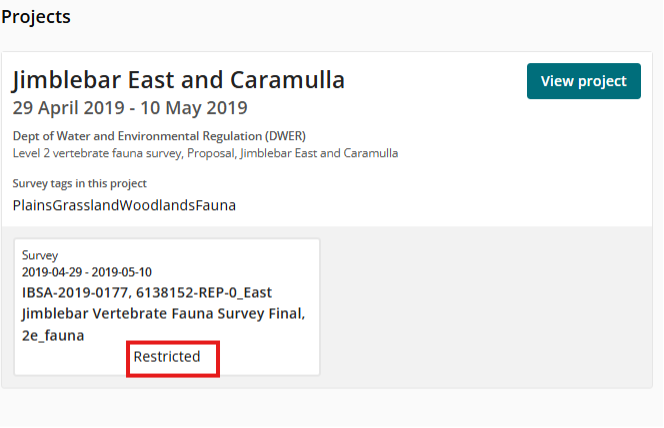
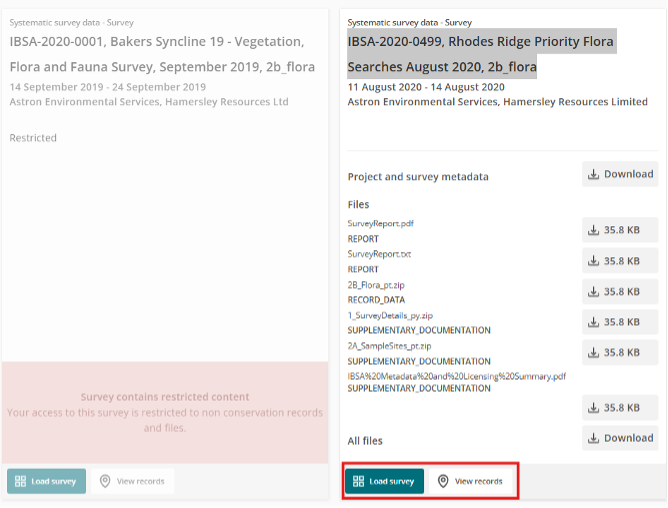
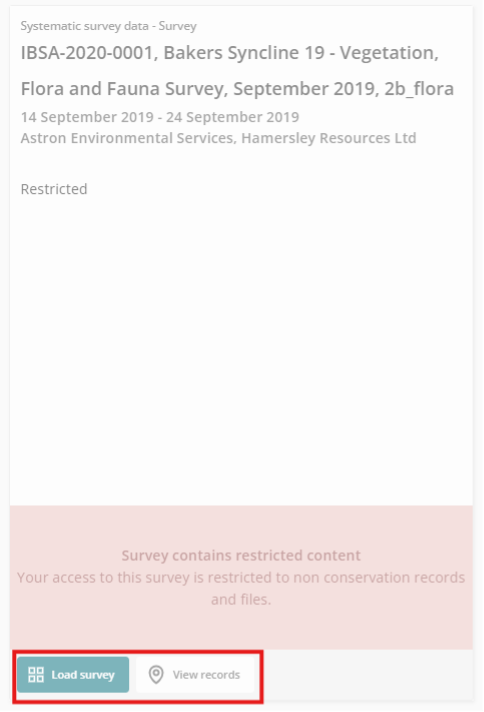
Surveys marked ‘Restricted’ contain records referring to the location of threatened and priority species and will have their contents restricted from public access. Example below:
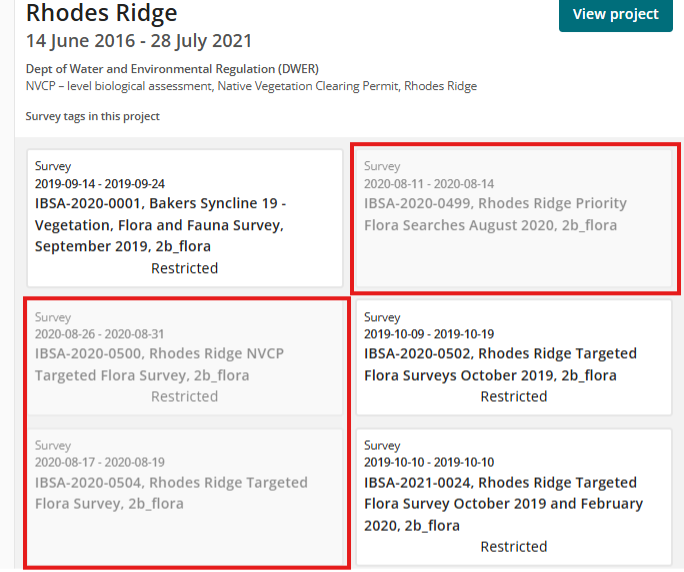
Certain surveys may also appear ‘greyed out. These indicate surveys that are not within your search criteria but are part of the project. Example below.
Explore further Project and Survey details
From the high-level project view, detailed Project and Survey information and download links can be accessed by clicking on ‘View Project’.
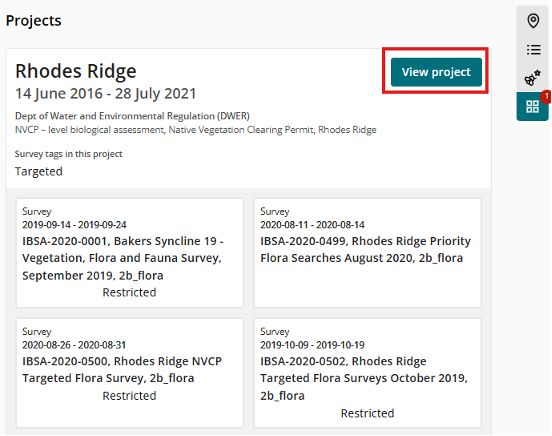
Additional details regarding the Project and its associated surveys will be displayed, such as keyword tags, survey participants and any related documentation.
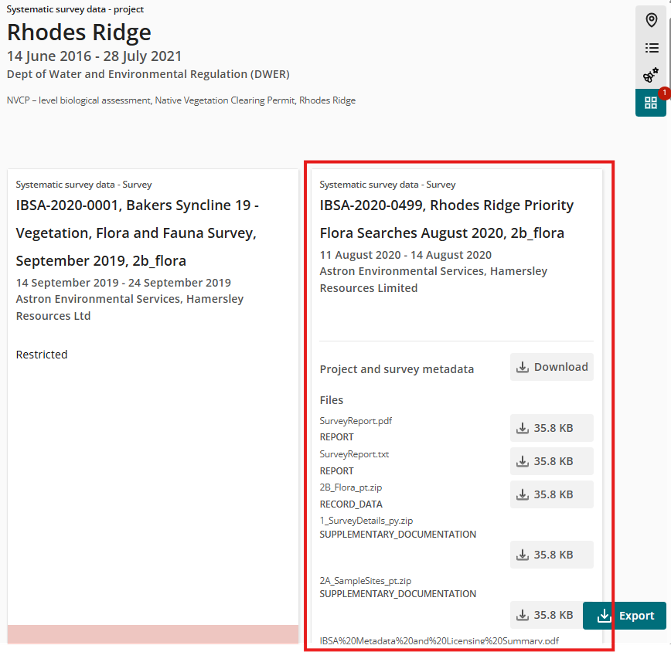
When exploring SSD, Dandjoo allows you to switch back and forth between looking at the project as a whole or just one survey.
When in the Survey View you may want to view or load a specific Project or Survey to better visualise their respective content. The View and Load functions for both Project and Survey will help perform this function.
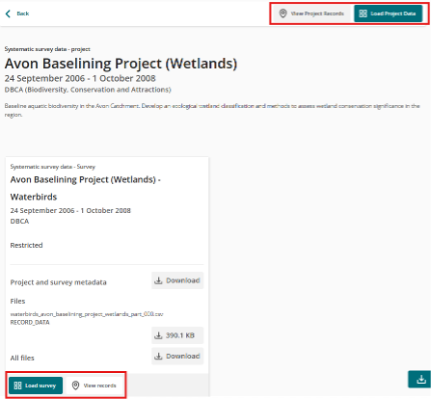
‘Load Project Data’ will reset the search criteria to the Project name (ie. ‘Rhodes Ridge’ in the example below) and will allow you to view all the survey data within that project
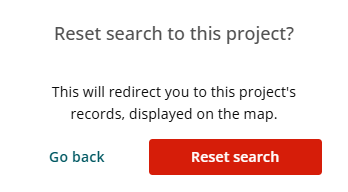
However, this will involve overwriting the existing search criteria and a reset search prompt will appear.
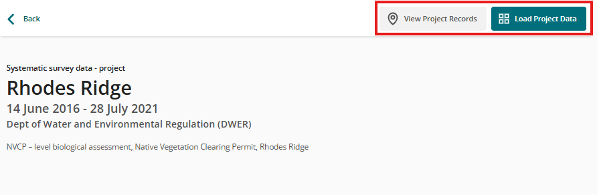
‘View Project Records’ applies the same search criteria as ‘Load Project Data’ but will perform the additional function of returning to the map view to display the Project search area
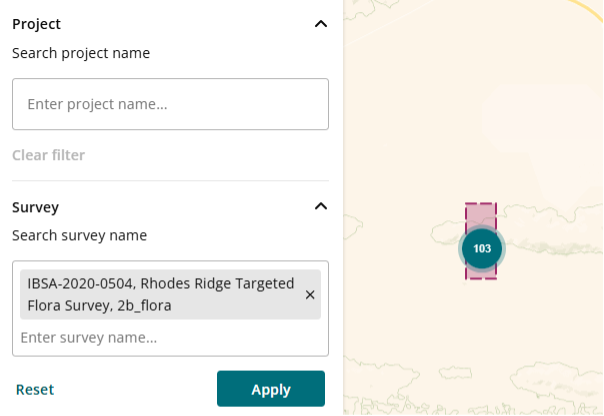
‘Load survey’ and ‘View records’ will reset the search and view to the Survey name (ie. ‘IBSA-2020-0499, Rhodes Ridge Priority Flora Searches August 2020, 2b_flora’ in the example below).
Note, that the functionality for greyed out surveys are accessible
Export functionality
The export functionality for SSD remains unchanged, with all the export options and functionality as per the existing occurrence data exports. The only specific change is to the content of export files that will now include additional data fields relating to SSD.
Searching for specific Projects and Surveys
While Projects and Surveys are hierarchical, the current search functionality for Projects and Surveys are independent in Dandjoo. It is recommended to search at Project level first unless you are familiar with the naming convention of a particular survey. Refer to the Biodiversity Information Office Project list for a list of Projects available for search in Dandjoo.
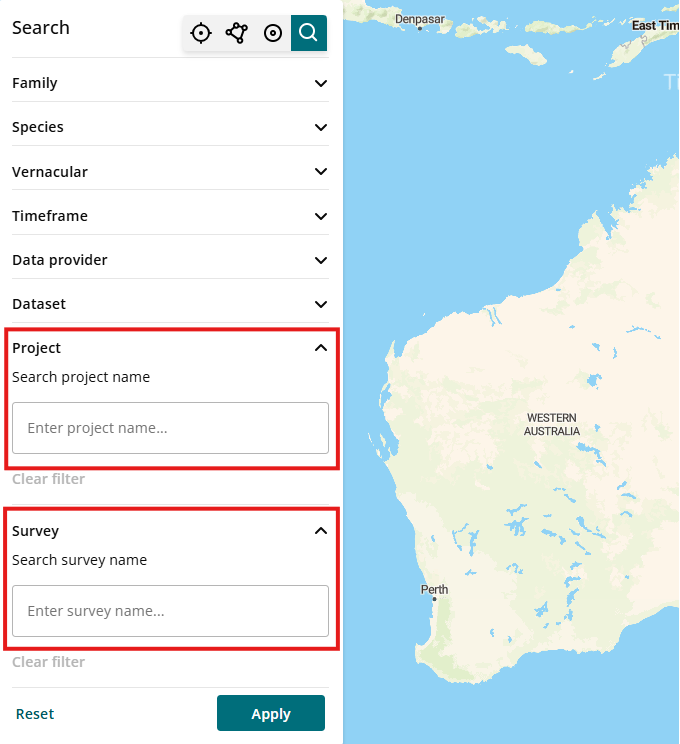
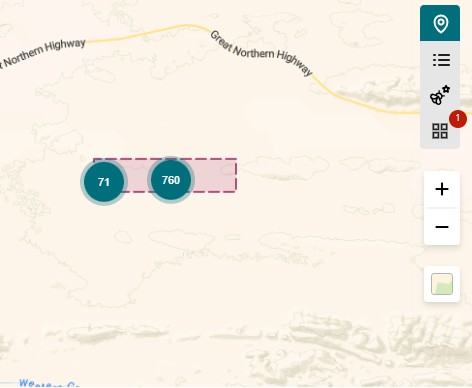
The map view will display a bounding box that represents the project or survey boundaries.
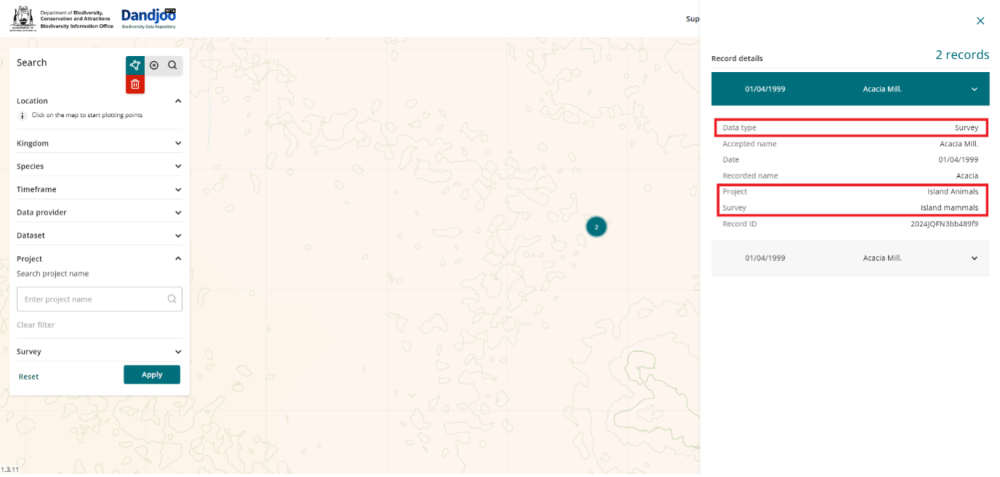
Record slide-out panel
Further details can be viewed in the Map view if the search point is narrowed down to its most detailed level. Clicking the search point will slide out a more information panel regarding that survey point.
A dedicated list of Systematic Survey Data available through Dandjoo has now been published. Use this page to browse available SSD datasets before searching in Dandjoo.
View the Systematic Survey Data list
What we are working on

We have added functionality to be able to search, view and download (where available) Systematic Survey Data in the Dandjoo platform.

Join the BIO newsletter and get updated first
Sign up for access to the latest developments at the Biodiversity Information Office, upcoming Dandjoo features, and our newest datasets.